Red and Black Gaming Chair: Plan the Color Balance
Plan a red and black gaming chair with panel-balance examples, logo contrast checks, room-lighting checks, and a custom-order brief.

Written by
San
San covers custom gaming chair design, ergonomics, materials, sizing, setup ideas, and buying details for players who want comfort with a personal look.
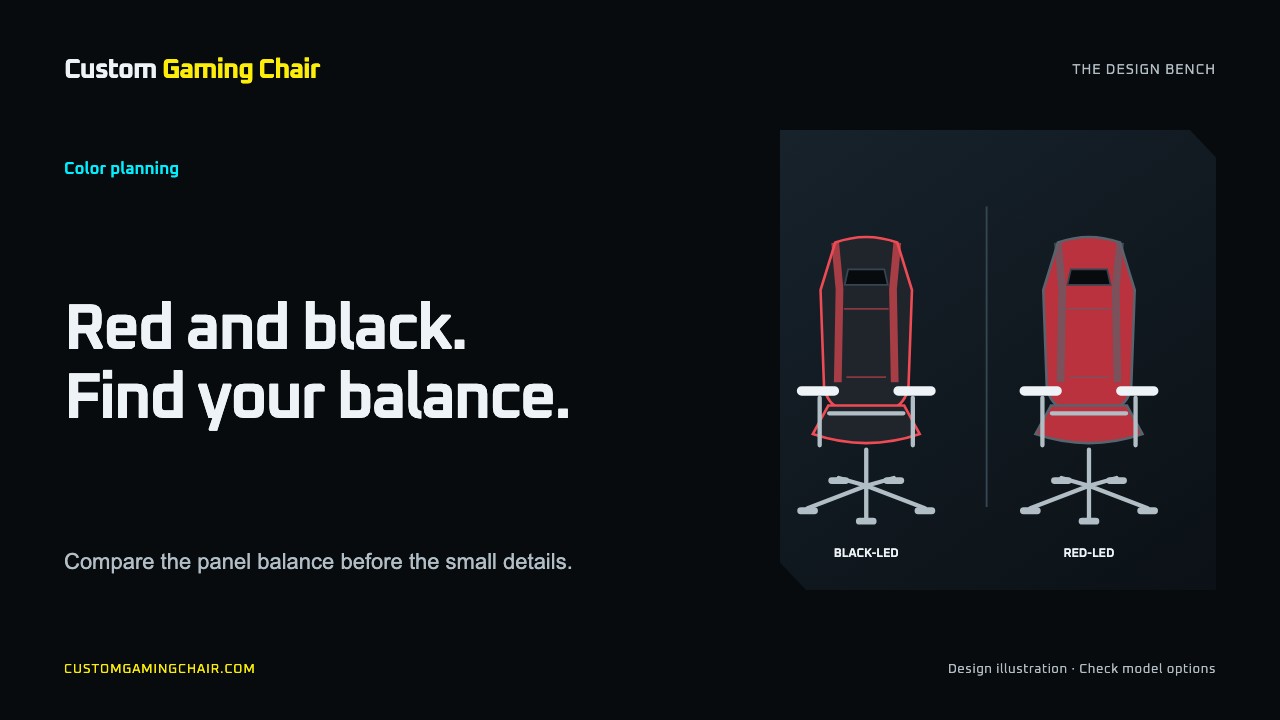
A red and black gaming chair is easier to choose when you decide which color should cover most of it. Start with black as the main color if you want a small red accent. Consider larger red areas if the chair itself should be a feature of the room. Then check the proposed layout with your desk, artwork, and normal lighting.
The layouts below are starting points for a design brief. Ask which colors and panel arrangements your chosen model supports before treating a sketch as an orderable chair.
Choose a color balance before choosing details
Compare a few arrangements instead of asking for a chair that is simply “red and black.” That phrase leaves the largest decision unresolved.
| Proposed direction | Starting point for your brief | What to check |
|---|---|---|
| Black with red accents | Black main surfaces with a limited red edge or detail | Can you still see the red detail from the doorway or camera? |
| Red with black framing | A larger red area with black around it | Does the red compete with wall art or other large objects? |
| Black base with red artwork | Let a logo or illustration carry the red | Is the artwork clear when the chair appears small in a photo? |
You do not need to specify an exact percentage. Describe the visible areas you want to emphasize, then ask the team to confirm what is possible on the selected chair. Mark the relevant areas on your reference image.
Compare the chair in the view you will use
Take a photo from the doorway, then another from your usual stream or video call position. Put the chair reference beside each image. Look at the desk, wall, chair, and background together.
Use your everyday lighting for the first comparison. If you normally switch between daylight and colored lighting, check both. Decide whether you like the combination under those conditions rather than judging it only beside a product photo on a bright screen.
For a shared work and gaming room, ask whether you still like the layout with decorative lighting turned off. For a stream setup, check the camera frame with someone seated: the part you want to show may be partly covered.
Give the logo its own space
A red logo needs a different background decision from a white or multicolor logo. Try the actual file on both a red and a black background before requesting a proof. Avoid choosing the panel color first and hoping the artwork will work on it later.
Use this short review:
- Look at the full design to check placement and empty space around it.
- Shrink the image to the size it will occupy in a room photo or stream.
- Check which details remain visible when someone sits in the chair.
- Compare the proposed artwork with seams and panel edges on the proof.
If a red mark is hard to distinguish on the red area, try another placement or ask for an appropriate background. Use an alternate logo file only if it belongs to your brand. Avoid adding outlines or changing brand colors without checking the result with the person responsible for the artwork.
The chair artwork guide covers source files and proof review in more detail. Keep this color decision focused on where the mark will be seen.
Compare fit and hardware separately
Two chairs with the same palette can have different dimensions, upholstery, or adjustments. For example, the DXRacer PRINCE black-and-red product page lists its color separately from its material and technical specifications. Those specifications describe that model.
For your own shortlist, check seat measurements, desk clearance, armrest options, and material information independently of the photos. If a detail is missing, ask for it. The chair sizing guide can help you prepare the measurements to compare.
Turn your idea into a custom-order brief
Here is an example planning brief, not a confirmed configuration:
I want black to be the main color, with red used as a small accent. The chair will sit at a black desk and appear in a front-facing camera view. Please check whether this model supports the marked color areas. I have attached the original logo and a room photo. Please confirm the proposed placement and colors in the artwork proof before production.
Replace those details with your own. Mark which references show a color, which show placement, and which show the artwork you actually want used. This reduces the chance that a decorative detail in an inspiration image becomes part of the request by accident.
The Custom Gaming Chair page explains that its photos are examples and that the team confirms an artwork proof before production. Check that proof against your brief, including spelling, orientation, and the front and back views. A screen reference is a discussion aid; ask what color confirmation is available if an exact match matters.
Questions before ordering
Is a black and red gaming chair a different type from a red and black one?
The wording alone does not identify a different chair type or configuration. Compare the pictures and specification lists. In a custom brief, state which color should dominate instead of relying on word order.
Should the chair match every red item on my desk?
You can use one item as a reference without matching everything. Compare the whole setup and choose the relationship you prefer. If exact matching is essential, ask how the proposed color can be checked before production.
Does a racing-style palette tell me how the chair adjusts?
No. Read the model's hardware and fit information. A color scheme does not establish the available armrest movement, recline controls, or seat dimensions.
What should I prepare before opening the product options?
Bring a room photo, your preferred color direction, the original artwork file, and any placement notes. Use the custom design guide to finish the brief, then review the current options for your selected model.
Questions or corrections about this content can be sent to support@customgamingchair.com.
All postsRelated posts
Gaming chair design, materials, sizing, and buying guides.