
How to Design Your Own Custom Gaming Chair Online
A practical guide to choosing a custom gaming chair base, colors, image areas, materials, and proofing steps before you order.

Written by
San
San covers custom gaming chair design, ergonomics, materials, sizing, setup ideas, and buying details for players who want comfort with a personal look.
Designing a custom gaming chair online should feel less like guessing and more like building a setup around your body, room, and playing style. The best result comes from making decisions in the right order: base model first, comfort features second, visual design third, and production proof last.
This guide combines the useful parts of the older design, color, RGB, streamer-room, and customization topics into one workflow. Use it before you order a custom gaming chair so the final chair looks intentional instead of patched together.
Start With The Base Model
Do not start with artwork. Start with the chair structure. A custom design only works if the seat, back, armrests, and base match the way you sit. If you play long PC sessions, prioritize support and adjustability. If the chair is part of a streaming room, make sure the silhouette and color blocking will read well on camera.
- Choose a standard custom chair when you want the lowest entry price.
- Move to Custom Pro when comfort and finish matter more.
- Use Custom Pro Max when the chair is meant to be the centerpiece of a room or creator setup.
Choose A Color System Before Uploading Art
A chair can support many colors, but the best designs usually use a simple system: one base color, one accent color, and one highlight. Black and white works for minimal setups, pink and white works for cozy rooms, and dark colors with electric accents can match RGB builds.
If you already have a desk mat, keyboard, wall lighting, or PC case color, use those items as the palette. Matching the chair to the room helps it feel premium even when the graphic design is simple.
Prepare Images For The Custom Areas
Image quality is the difference between a sharp custom chair and a blurry novelty item. Use high-resolution files, avoid screenshots, and do not rely on tiny social media images. If you are using a logo, badge, anime-inspired pattern, team mark, or personal artwork, check that the important details remain clear when viewed from several feet away.
- Use large source images whenever possible.
- Keep text short and high contrast.
- Avoid placing important details near seams or edges.
- Use horizontal artwork for wide panels and centered artwork for smaller areas.
Plan Comfort And Function Together
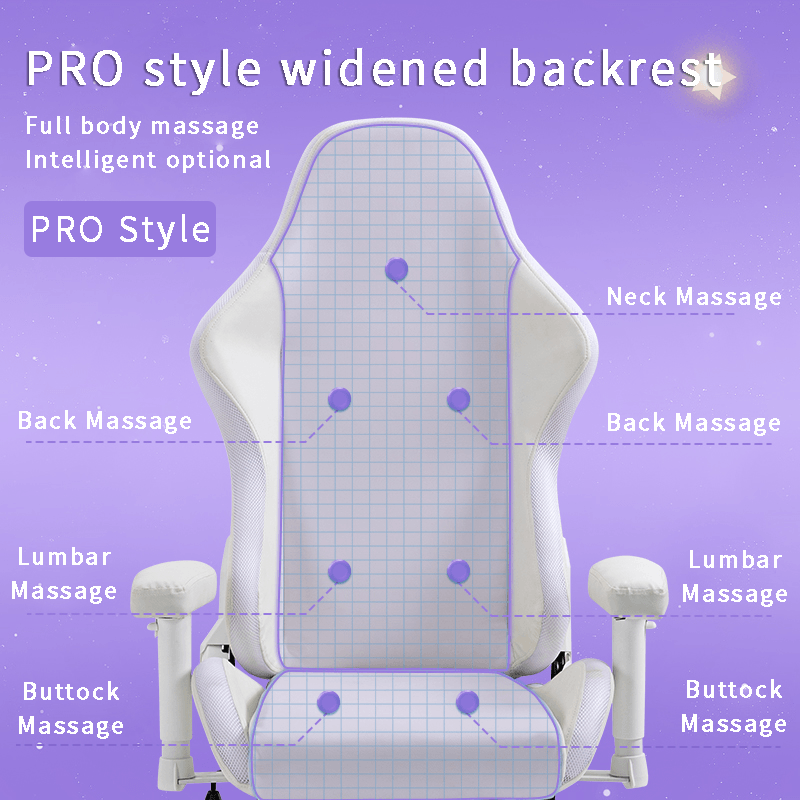
A visual design can look great and still be wrong if the chair is not comfortable. Think about the features you actually use: reclining, lumbar support, footrest, armrest movement, caster wheels, and material feel. A streamer who sits six hours a day has different needs from someone who mainly wants a dramatic chair for a themed room.
Write down the top three problems with your current chair. Back fatigue, heat buildup, unstable wheels, and weak arm support all point to different choices.
Review The Proof Before Production
A good custom process should include a design confirmation step. Treat that proof seriously. Check spelling, logo orientation, image placement, color balance, and whether the front, back, and side views still feel like one design. Ask for adjustments before production, not after the chair arrives.
Additional Design Decisions To Make Before Ordering
The design stage should also account for the room around the chair. A minimalist black and white setup, a pink cozy setup, a clan jersey theme, a streamer room, and an RGB-heavy desk all need different levels of contrast. The easiest rule is to make the chair repeat the room’s strongest visual cue instead of competing with every item in the setup.
- For a clean home office, keep the base neutral and use one small accent color.
- For a creator or esports room, make the logo or team color the main visual anchor.
- For a gift chair, choose a theme the recipient already uses in their desk, keyboard, lighting, or wall art.
- For a budget refresh, customize the most visible panels first and save advanced upgrades for later.
Upgrade Only The Features That Solve A Real Problem
Older setup topics often mixed comfort upgrades, accessories, audio features, and color ideas together. A better way is to attach every upgrade to a problem: a headrest pillow for neck fatigue, stronger lumbar support for long sessions, breathable material for heat, smoother wheels for hard floors, or branded embroidery for a team or stream identity. If an upgrade does not solve a problem or make the design clearer, it can wait.
If you are still deciding, compare this guide with the custom gaming chair feature checklist and the personalized gaming chair cost guide. Then move to the custom gaming chair builder with a shorter, cleaner brief.
Related Custom Gaming Chair Guides
Use these guides to continue the same buying path instead of jumping into unrelated chair articles.
- custom gaming chair feature checklist
- personalized gaming chair cost guide
- custom gaming chair with logo guide
- anime custom gaming chair ideas
- custom gaming chair ordering mistakes
How To Use This Guide Before You Order
A custom chair design works best when it starts with a clear brief. Before you open the product options, write down three things: how many hours you sit each week, what your room or brand should look like, and which comfort problem you want the new chair to solve. That short brief keeps the order focused and prevents the design from becoming a random collection of colors and upgrades.
Then compare the idea with the custom gaming chair overview and the custom gaming chair product page. If the page options support your brief, move forward. If the idea still feels vague, simplify the palette, reduce the number of graphics, or choose one main feature to build around.
Pre-Order Checklist
- Confirm the base model fits your height, room, desk, and sitting habits.
- Choose one primary color, one accent color, and one optional highlight color.
- Prepare high-resolution artwork instead of screenshots or compressed files.
- Decide which parts of the chair should be visual and which should stay clean.
- Check shipping timing if the chair is for a gift, event, stream launch, or room reveal.
Internal Link Path
This article should work as a support page, not a dead end. After reading, the best path is to visit the main custom gaming chair page for the full process, then continue to design your own gaming chair when you are ready to configure the chair.
FAQ
Can I design a gaming chair from scratch?
You can customize the visual design and options, but you still choose from available chair bases. Start on the custom gaming chair product page and build from the available models and options.
What artwork works best?
Large, clean images with strong contrast work best. Logos, character-inspired color palettes, team marks, and simple patterns usually print better than busy collages.
Should I match my chair to my room?
Yes. Matching the chair to your desk, lighting, PC case, or wall colors makes the final setup look more intentional.
Where should I start if I only have an idea?
Start with the custom gaming chair overview, then collect color references and artwork before choosing detailed options.
Ready to build one? Start with the custom gaming chair overview, then use the design your own gaming chair product page to choose a base model, colors, custom image areas, and options.
Ready to build your own custom gaming chair?
Start with the Custom Gaming Chair if you want your name, logo, artwork, team colors, or streamer branding on the chair. You can choose the base options first, then upload artwork or send final files after checkout.
- Starting price: $419 before optional upgrades.
- Upload artwork, logo files, names, or design references.
- Use Anime Gaming Chair if your main goal is an anime-inspired setup.
Questions or corrections about this content can be sent to support@customgamingchair.com.
All postsRelated posts
Gaming chair design, materials, sizing, and buying guides.